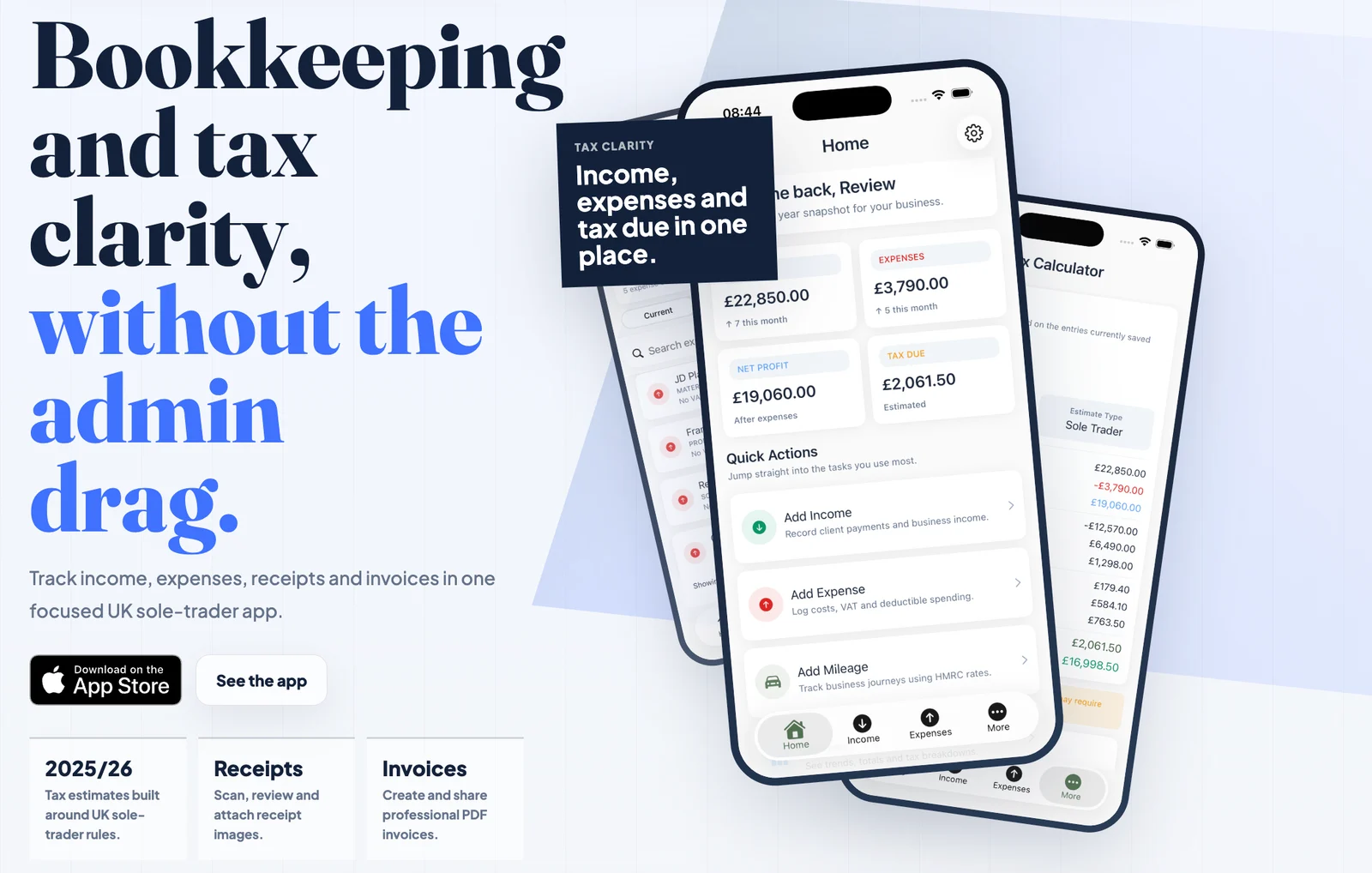
Development update — 4 November 2026: Read the chronological development diary covering the next iPhone version, cross-platform testing, the website redesign and the web companion's restricted deployment work.
UIKit screens, a service layer and Supabase
The app is written in Swift with UIKit view controllers. Income, expenses, the home summary and the calculator each have their own screens. Network and calculation work sits in services, including a Supabase client, receipt OCR, tax calculation and subscription handling.
The Supabase service handles authentication and authenticated requests to record and storage endpoints. Income, expense and invoice models use explicit Codable mappings for the backend field names. Screens call the service rather than each maintaining a different HTTP implementation.
That gives the app a consistent place to deal with expired sessions, server errors and network failures. It also separates bookkeeping records from the images and PDFs attached to them. The repository includes a private receipt bucket and user-scoped storage policies; those are backend access controls rather than a filter applied only by the interface.
Receipt scanning: recognise, suggest, review
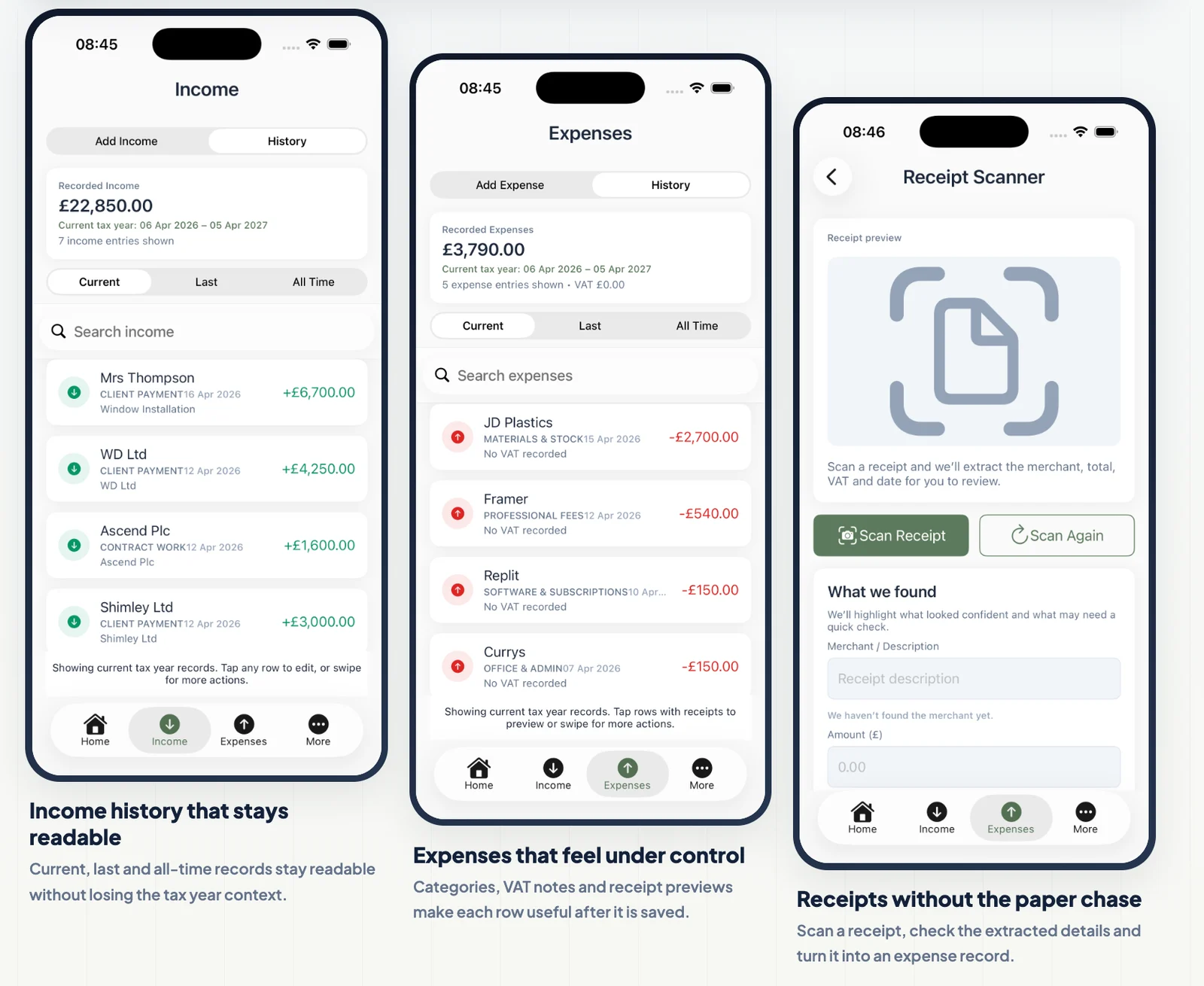
The receipt scanner uses Apple's Vision framework. A VNRecognizeTextRequest runs with accurate recognition and language correction on a background queue. The recognised lines then pass through a parser that suggests the merchant, total, VAT, date and an expense category.
The parser scores candidates rather than taking the first number in the image. Total-related keywords increase a candidate's score, while subtotal, tax, discount and change lines count against it. Merchant extraction filters common receipt boilerplate. Each extracted field carries a confidence value so the review screen can distinguish a useful suggestion from a missing or uncertain result.
The user reviews that result before saving an expense. The expense model can retain the receipt path, recognised text and merchant alongside the amount, date and category. Text recognition runs on the device; saving a receipt attachment uses the separate authenticated storage path.
Calculations kept separate from the interface
TaxCalculatorService accepts income, expenses and optional PAYE figures, then returns a structured result. It separates net profit, taxable income, personal allowance adjustments, Income Tax, National Insurance and take-home figures. The screens display those results without having to reproduce the calculation logic.
The calculator also handles the trading allowance and the interaction between self-employment and PAYE income. Keeping the arithmetic in a service makes the assumptions inspectable and gives the app one implementation to maintain. These are planning estimates for the supported rules in the app, not official HMRC calculations or a claim to cover every taxpayer's circumstances.
Invoices as records and PDF documents
The invoice controller creates PDFs with UIGraphicsPDFRenderer. It saves invoice metadata through Supabase and uploads the generated PDF through a separate file operation. Existing invoices can be fetched, edited, downloaded and shared.
The payment workflow also connects invoices to bookkeeping: the controller includes an operation to create an income entry and update the invoice. This keeps the invoice's stored status distinct from the document the customer receives.
Pro access through StoreKit
StoreKit manages the Pro subscription. The subscription service loads the product catalogue, verifies purchase transactions and refreshes access from current entitlements. Revoked or unverified transactions do not grant Pro access. Restore purchases synchronises with the App Store and refreshes both products and entitlements.
Product loading includes retries for a catalogue that has not returned the expected subscriptions yet. The purchase flow also distinguishes a completed purchase, a pending transaction and cancellation, rather than treating every closed paywall as a successful upgrade.
HMRC integration work and the public release
The repository contains HMRC OAuth, API and quarterly reporting code: connection handling, business lookup, period creation, category mapping and quarter-status screens. Development configuration uses sandbox endpoints, and release configuration has separate endpoint and diagnostic controls.
The release checklist explicitly removes MTD from the first public navigation. It requires separate hardening and HMRC production approval before reintroducing it. The launched app should therefore be described as bookkeeping, receipt capture, invoices and estimates; the presence of HMRC source code is not evidence of an approved live filing service.
Testing and release evidence
The project includes XCTest and UI-test targets, an App Review resubmission checklist and a release checklist. The documented checks cover account flows, income and expense operations, receipts and invoices. MTD readiness is tracked separately from the first public release.
QuikTax is available on the App Store. Its public listing includes income and expense records, receipt scanning, invoices, mileage and tax estimates. My earlier prototype notes and user-journey post document the work before launch, including the MTD exploration. The waitlist announcement remains a dated build update.