
Inside the version 1.2 interface
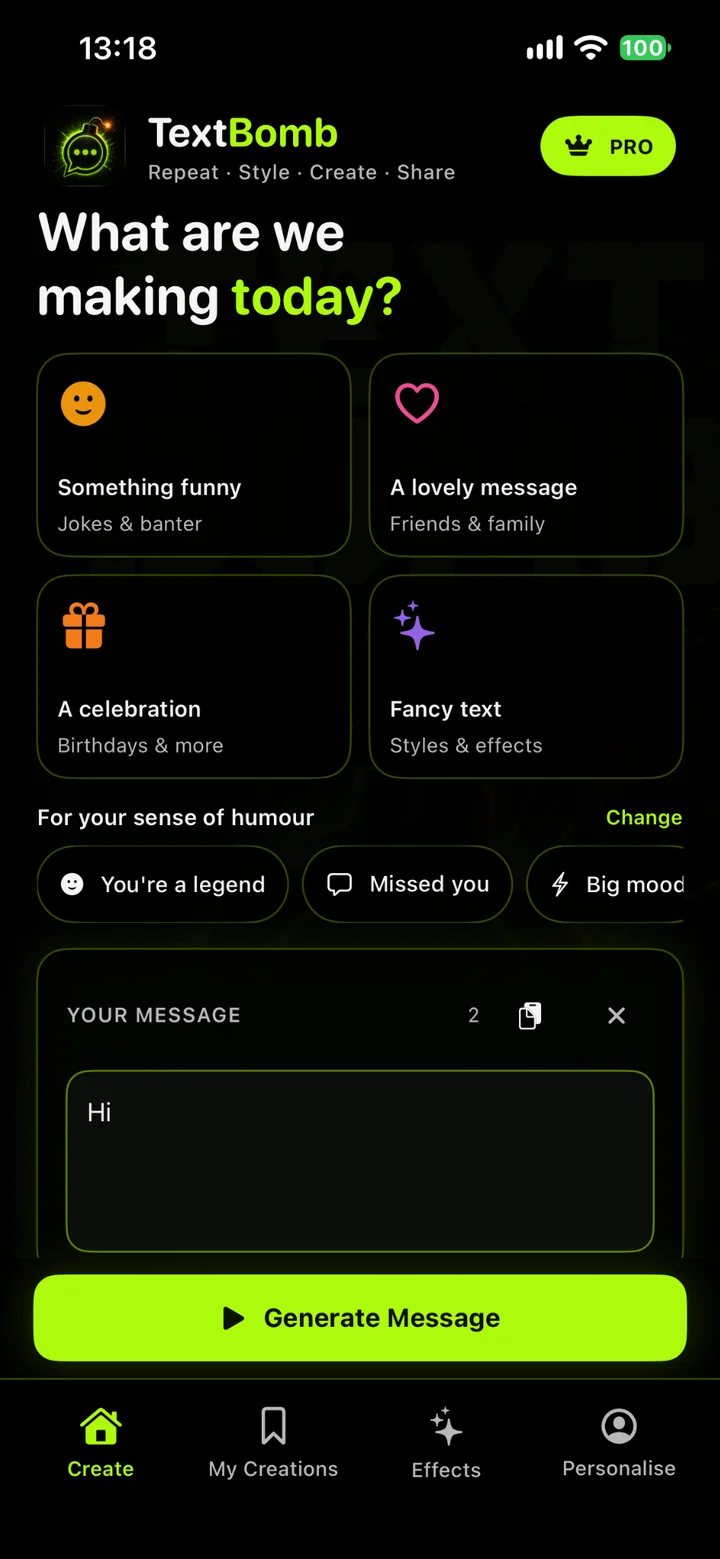
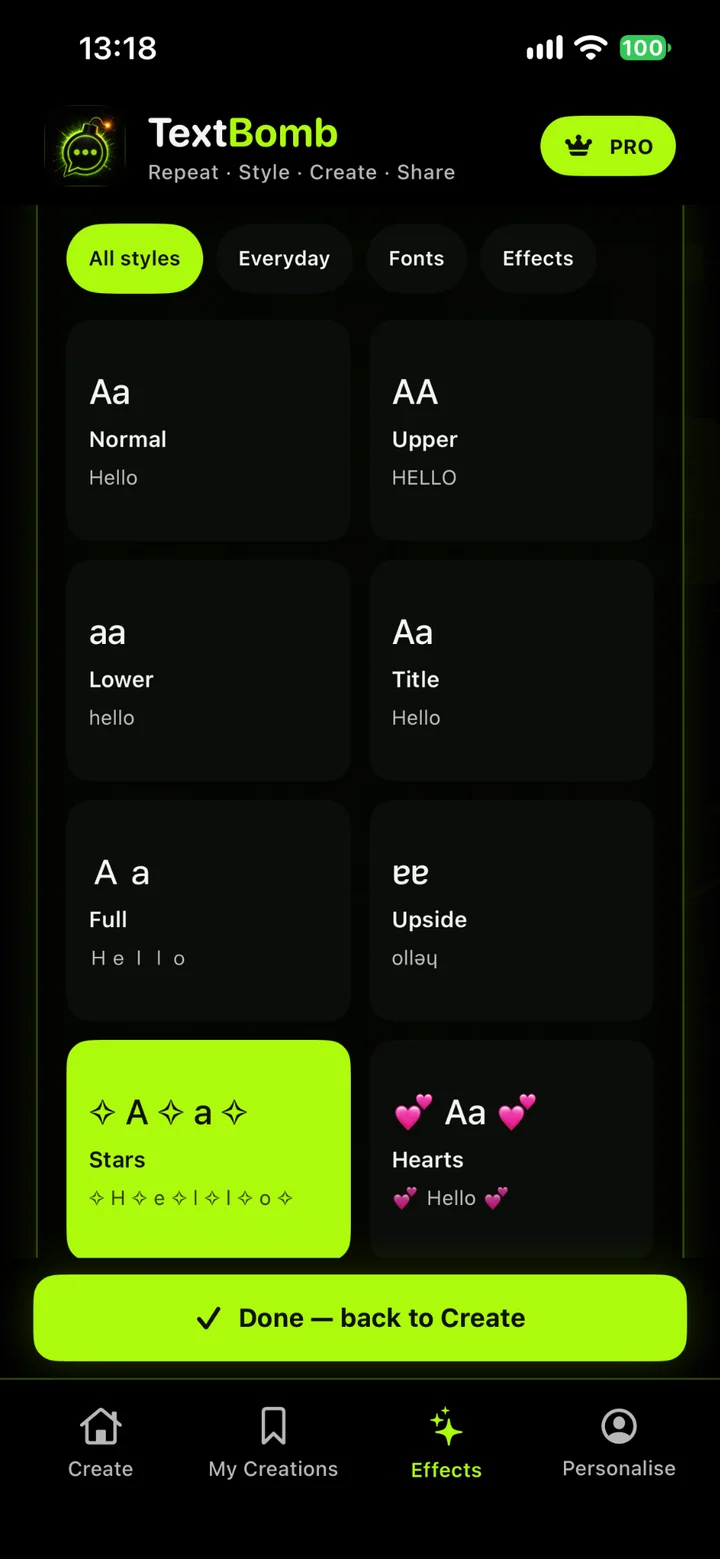
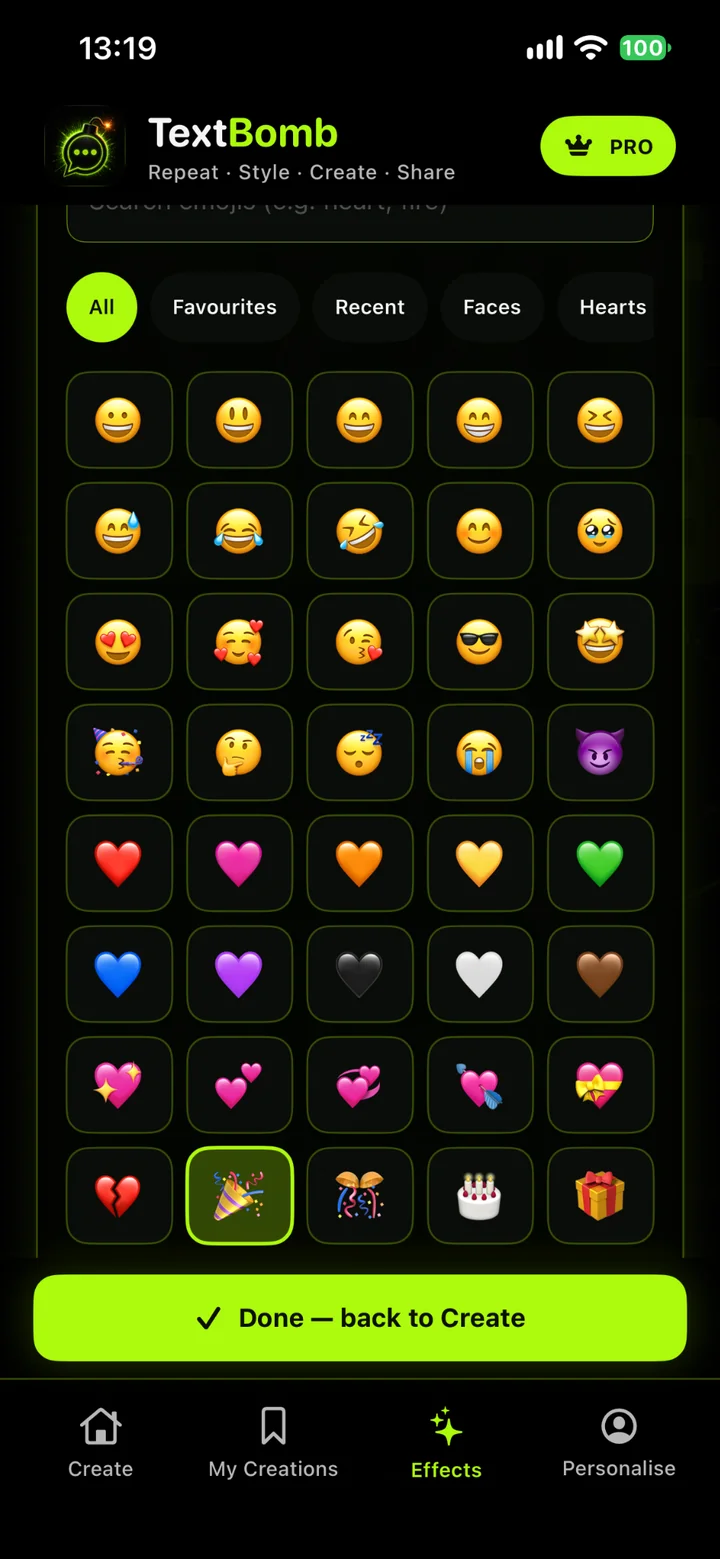
These are real captures from the native release candidate on iPhone, rather than design concepts. The Create screen keeps the main action close to the message, while Effects gives text styles and emojis their own space. The screenshots show a Pro-enabled test account; they do not mean that version 1.2 is publicly available.
The original idea
I wanted a small utility that did one thing without friction: type a message, repeat it and copy the result into another app. Text Bomb first went onto the App Store in March 2026. It wasn't a complex commercial platform or a problem that needed a backend. The appeal was getting from an idea to a usable result in a few taps.
Once the basics worked, I started adding text effects, emoji options and saved history. Those features made the app more enjoyable, but also introduced edge cases that a simple repeat button never had to deal with.
Rebuilding it natively
Version 1.1, released in April 2026, was a native iOS rebuild. I moved the application into Swift and SwiftUI, replacing the earlier approach with native navigation, input controls, appearance handling and sharing. The goal was a responsive utility that felt at home on an iPhone or iPad rather than a web interface running inside an app shell.
In the 1.2 branch, the Create flow sits alongside dedicated Effects, History and Personalise areas. Quick-repeat buttons and a stepper make common amounts easier to select. Native clipboard and share-sheet APIs handle getting the finished text out of the app, while local preferences retain the user's choices between sessions.
Version 1.1 is available publicly. Version 1.2 Build 7 completed internal TestFlight checks but was uploaded as Internal Only, which makes it ineligible for App Store submission. An App Store-eligible Build 8 was planned; 1.2 and its Pro purchase should not be described as publicly released yet.
Engineering large text outputs
Generating a few lines is straightforward. Generating as many as 10,000 repetitions, while applying styles, emoji separators, prefixes, numbering or chunking, needs more care. The 1.2 implementation builds a structured output request from the current settings and gates that request against the user's permitted features, rather than relying solely on disabled controls in the interface.
Output generation runs on a background queue. Each request is given an identifier so an older result cannot overwrite a newer one if someone changes the settings while work is in progress. The full result is kept available for copy and sharing, but its on-screen preview is limited to 4,000 characters. That avoids asking SwiftUI to lay out an enormous wall of text simply to show a preview.
Typography is more complicated than applying a font. Several of the 27 styles in the 1.2 catalogue transform characters into decorative Unicode representations, including full-width and mathematical lettering. The transformation needs sensible fallbacks for characters that do not have a matching representation, without stripping unusual characters from messages people type themselves.
Personalisation without an account
I kept Text Bomb local-first. SwiftUI's @AppStorage
persists choices such as the repeat amount, effect, separator and emoji
settings. Saved creations are stored as Codable JSON in the app's
Application Support directory, with atomic file writes to reduce
the risk of a partially written file.
An older version stored its history in UserDefaults. The newer code reads the file-backed format first and can fall back to the old data, rather than deleting a customer's saved messages during the upgrade. A saved creation can also include its recipe — original message, style, repeat count and other options — so it can be reopened for editing instead of being just a block of copied text.
The Personalise area also provides reusable suggestions based on how someone uses the app. These are local choices, not AI-generated messages or a remote personalisation service.
Adding a commercial model with StoreKit 2
Text Bomb originally shipped as a free utility. For 1.2 I introduced the option of a single lifetime Pro purchase, rather than a subscription. The planned UK price is £2.99, configured in App Store Connect; the paywall reads the localised storefront price from StoreKit. There are no ads or recurring fees in this model.
Keep the essentials
Up to 10 repeats, 3 basic text styles, 25 curated emoji choices, 5 saved creations and unlimited copying and sharing.
Unlock more control
Up to 10,000 repeats, all 27 styles, all 100 curated emojis, advanced effects and unlimited saved creations.
The source uses a non-consumable StoreKit 2 product. It checks verified current entitlements before unlocking Pro, ignores revoked or unverified purchases, and provides a Restore Purchases action. A cancelled or pending purchase is not treated as successful.
Protecting earlier customers is the more delicate part. The 1.2 code
checks Apple's verified AppTransaction.originalAppVersion
against the first planned monetised build. When acquisition verification
is temporarily unavailable, the app uses Free limits without
overwriting saved premium preferences. An explicit
Verify original access action allows a retry.
TestFlight uses Sandbox acquisition data, so its successful tests
cannot prove the real production grandfathering path. That remains a
release check, not a result I can claim is already proven.
Testing the update rather than just the new screens
The internal TestFlight Build 7 checks covered a real iPhone launch, Pro access persisting after restarting, preservation of previous creations and preferences, and access to premium styles and emojis. Manual Restore Purchases also appeared successful during those checks. Separately, the development checklist covers Free, legacy and temporarily unavailable acquisition states, including the impact on saved premium settings and the 10,000-repeat path.
I have kept those distinctions in the release notes. A successful Sandbox purchase proves that the test transaction flow works in that environment; it doesn't guarantee production customers will be grandfathered correctly. Nor does an internal TestFlight build mean the app update is live. Both details matter when a utility moves from entirely free to having paid features.
How the project has evolved
- March 2026 — First App Store release A focused text repeater built to make generating and sharing messages quick.
- April 2026 — Version 1.1 Native Swift and SwiftUI rebuild, with improved generation, sharing, appearance and saved history.
- November 2026 — Version 1.2 in testing Expanded styles and emojis, an updated creation flow, persistent recipes, and a proposed lifetime Pro entitlement. The release is not yet public.
What I took from it
Text Bomb is a modest app compared with my larger products, and that's part of why I wanted it in this portfolio. Getting something onto the App Store is only the beginning. A small tool still needs to cope with long inputs, persistence, platform updates, purchase states and people who installed it before the business model changed.
The interesting work hasn't been making the screen busier. It's been deciding what to keep simple, what should happen away from the main thread, and how to make changes without breaking someone's existing experience. That's the part of building and maintaining software that I want to keep getting better at.